
Your site crew is not going to sit down in front of a computer between tasks. You know that.
That's why project management that depends on desktop tools always breaks down at the most critical point: the field. The information the office needs takes hours or days to arrive. And when it does, it's already out of date.
A good construction management app solves exactly that problem. In this guide you'll find what a construction app needs to be genuinely useful on site, how to compare the options available in Spain, and what mistakes to avoid when choosing.
What Is a Construction Management App?
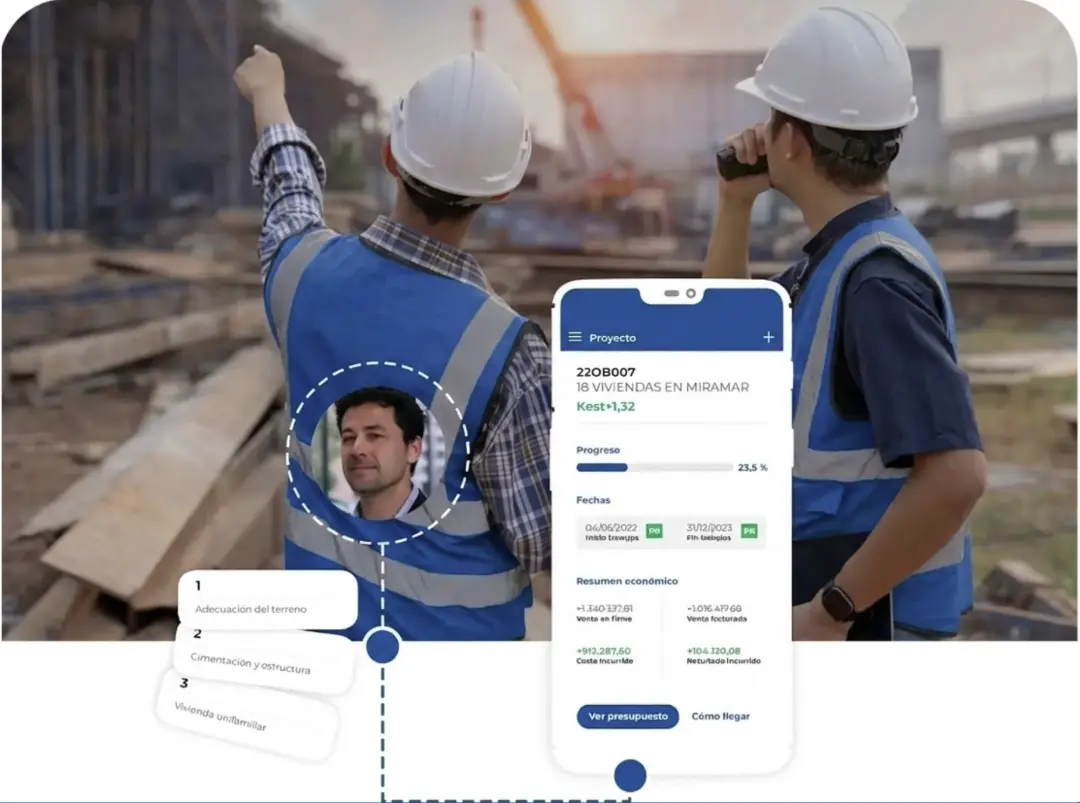
A construction management app is a mobile application available on iOS and Android that lets site teams manage, record, and communicate project information in real time, directly from where the work happens.
Unlike desktop software, which requires you to be in the office to update data, a construction management app works wherever the team is: on site, at the warehouse, at a client visit, or traveling between projects.
The most complete apps are not standalone tools but the mobile extension of a full management platform. This means that any data recorded in the field — a daily work log, an issue report, the progress of a trade — syncs automatically with the central platform and is available to the office within seconds.
What Separates a Useful App from One Nobody Ends Up Using?
The biggest problem with construction management apps is not technical: it's adoption. 70% of digital tools implemented on site end up abandoned because the team never integrates them into their daily routine.
The reason is usually the same: the app was not designed for the person who has to use it in the field. Complex interfaces, too many steps to record a simple piece of data, forms that don't work well without an internet connection, or screens designed for a mouse and keyboard that don't function well with work gloves.
A genuinely useful construction app meets these conditions:
Learned in under 1 hour. If the site foreman needs several days of training, adoption will fail. The interface has to be intuitive enough for any team member to start using it on day one.
Records with the minimum number of steps. Photographing an issue, signing a daily work log, or updating trade progress should take seconds, not minutes.
Designed for small screens. Large buttons, short forms, no horizontal tables that require scrolling. The design has to work with a thumb, not a cursor.
Essential Features in a Construction Management App
Not all apps offer the same capabilities. These are the features that make the real difference in day-to-day use:
Digital Daily Work Logs
Recording of hours worked, activities performed, workers on site, and materials used, directly from the phone. With digital signature from the foreman and automatic sync with the office.
Progress Tracking by Trade
Updating the percentage of completion for each trade or task on site, with access to the project schedule to see what should be finished and what is still pending.
Issue and Punch List Recording
Photo, description, and assignment of a responsible party for each issue identified on site. With automatic notification to the responsible person and status tracking until resolution.
Site Inspections and Meeting Minutes
Inspection forms with verification checklists and automatic generation of a PDF report to send to the client or to the project manager.
Access to Current Drawings
Access to the most recent version of site drawings, with the ability to add notes and mark points directly on the plan.
Geolocated Time Tracking
Recording of team check-in and check-out with geolocation, complying with Spanish regulations on working hours recording.
Purchasing and Delivery Note Management
Recording of orders, validation of delivery notes, and tracking of deliveries directly from site, linked to the project budget.
The Best Construction Management Apps for Spain in 2025
Trowel — Recommended for Spanish contractors
Trowel offers a native app for iOS and Android fully integrated with its web platform. Everything recorded in the field appears instantly in the office: daily work logs, progress updates, issues, time tracking, and purchases.
It is designed for the Spanish market: compliant with the working hours recording regulations, compatible with VeriFactu for electronic invoicing, and its interface works in offline mode.
Available on: App Store (iOS) · Google Play (Android)
Ideal profile: Contractors, architecture firms overseeing construction, renovation companies, and SME multi-trade services.
Procore
A very complete app from the international Procore platform. Powerful in document management and collaboration between large teams. High learning curve and high price — more oriented toward large international construction groups.
Ideal profile: Large construction groups with complex projects and international teams.
PlanRadar
App specialized in inspections, punch lists, and issue tracking. Allows adding annotations directly on drawings from a mobile device. Widely used in project supervision and quality control.
Ideal profile: Project managers, quantity surveyors, and quality control teams.
Buildertrend
US-based platform with a solid mobile app. Oriented toward residential construction and renovation companies. Its biggest limitation for the Spanish market is that it is not adapted to local regulations (VeriFactu, occupational health and safety, BC3).
Ideal profile: Renovation and residential construction companies without specific Spanish regulatory requirements.
Quick comparison
|
App |
Offline |
iOS/Android |
BC3 |
VeriFactu |
Spanish support |
|
TrowelApp |
✅ |
✅ |
✅ |
✅ |
✅ |
|
Procore |
✅ |
✅ |
— |
— |
Partial |
|
PlanRadar |
✅ |
✅ |
— |
— |
✅ |
|
Buildertrend |
✅ |
✅ |
— |
— |
— |
Native App vs. Mobile Version of Desktop Software: Which to Choose
There is an important difference between a native app designed for mobile from the ground up and a desktop software package that has had a "mobile version" bolted on as an add-on.
Native apps like Trowel are designed with thumb-first use in mind, for small screens and without a stable internet connection. The result is a smooth experience that field teams adopt easily.
Mobile versions of desktop software typically transpose the same complex interface onto a small screen. The result is frustrating: tables that don't fit, tiny buttons, and forms that are impossible to fill out on site.
If your field team is going to use the tool daily, always prioritize a native app or a platform designed to work as well on mobile as on desktop.
How to Roll Out a Management App Without Your Team Abandoning It
Technology doesn't fail because it's bad. It fails because of poor implementation. These are the steps that actually work:
First, choose the feature with the most immediate impact. Don't try to digitize everything at once. Start with a single feature — daily work logs, time tracking, or progress updates — and make sure the team is using it well before adding more modules.
Second, involve site managers from the start. If the site manager feels the app makes their job easier, they will adopt it and motivate the team. If they feel it is a bureaucratic burden imposed from the office, resistance will be total.
Third, train on the actual site, not in a meeting room. The best training is showing the foreman how to log a real issue, with their own phone, in front of the actual site. Twenty minutes of that is worth more than two hours of a PowerPoint presentation.
Fourth, make the benefit visible from day one. When the office receives a daily work log in real time and can respond without waiting until the next day, the field team sees the value immediately.
Conclusion
The construction management app is now the tool that closes the loop between the site and the office. Without it, information from the field arrives late, arrives incomplete, or doesn't arrive at all.
The key is not to choose the most feature-rich app on the market: it is to choose the one your team will actually use. And for that, ease of use, Spanish-language support, and compliance with Spanish regulations are criteria just as important as the feature list.
If you want to see how Trowel works on projects like yours,